Google Ads + Baseboard
Baseboard syncs Google Ads campaigns and ad groups every day and shows spend, revenue, ROAS, clicks and conversions next to your other ad platforms.
What data we sync from Google Ads
- Campaigns and campaign type (Search, Shopping, Performance Max and more)
- Ad groups
- Daily ad spend
- Impressions, clicks, CTR and CPC
- Conversions and conversion value
Key metrics in Baseboard
- Ad spend
- Return on ad spend (ROAS)
- Conversions and conversion value
- Cost per acquisition (CPA)
- Click-through rate (CTR) and cost per click (CPC)
- Impressions
What you can do with Google Ads in Baseboard
Compare campaigns and ad groups by ROAS, and see how Google Ads performs next to Meta and TikTok in your blended ROAS and CAC.
How Google Ads looks in your dashboard
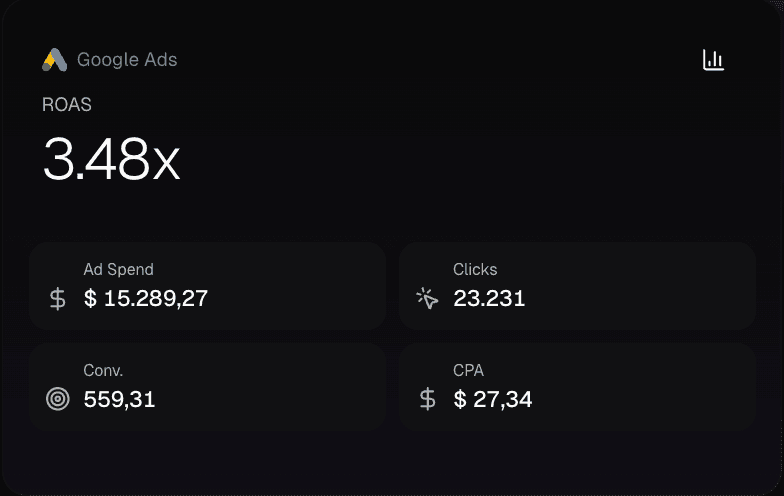
Demo data
Open the card to see every campaign and ad group: spend, revenue, ROAS, clicks, conversions, CTR and CPC.
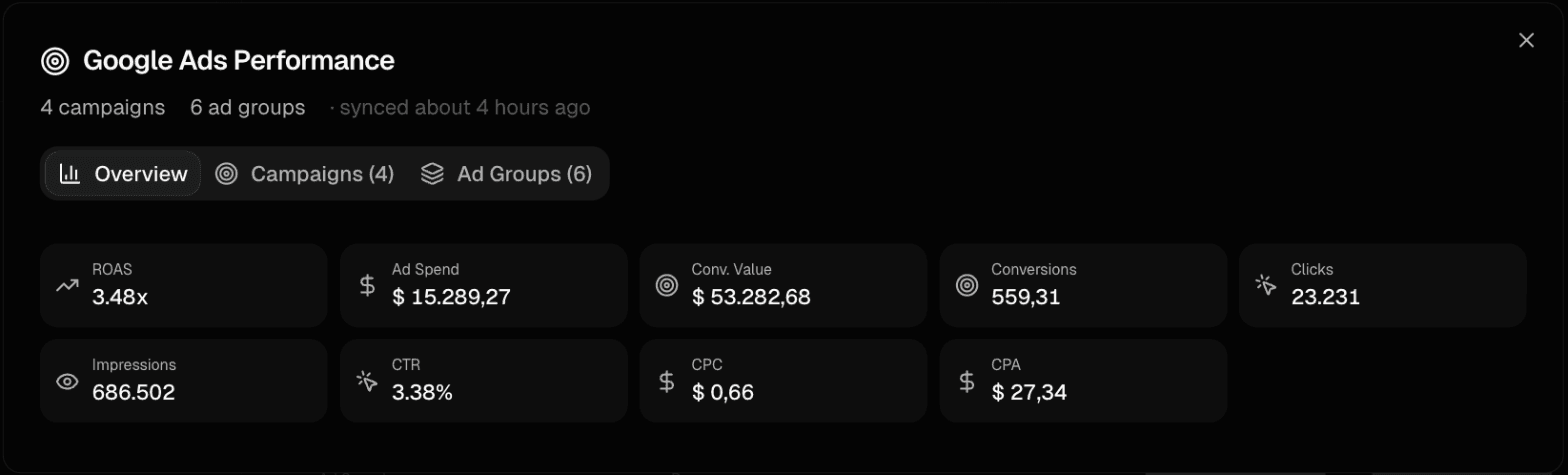
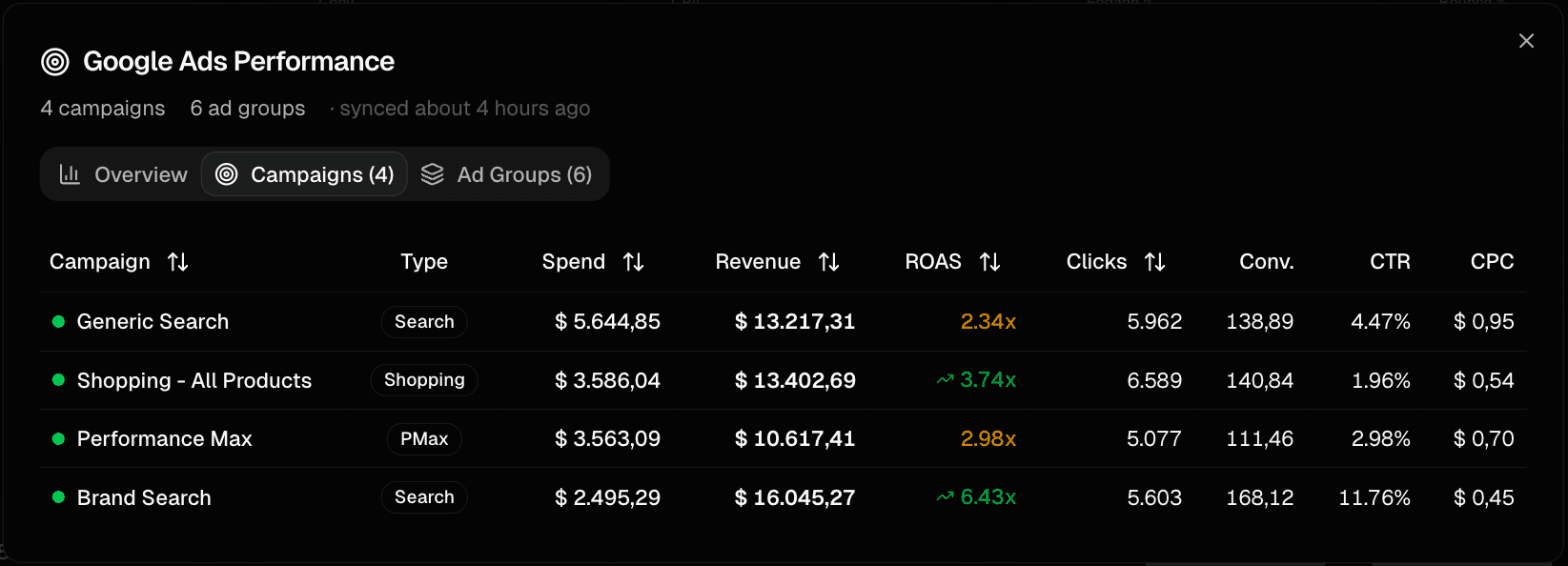
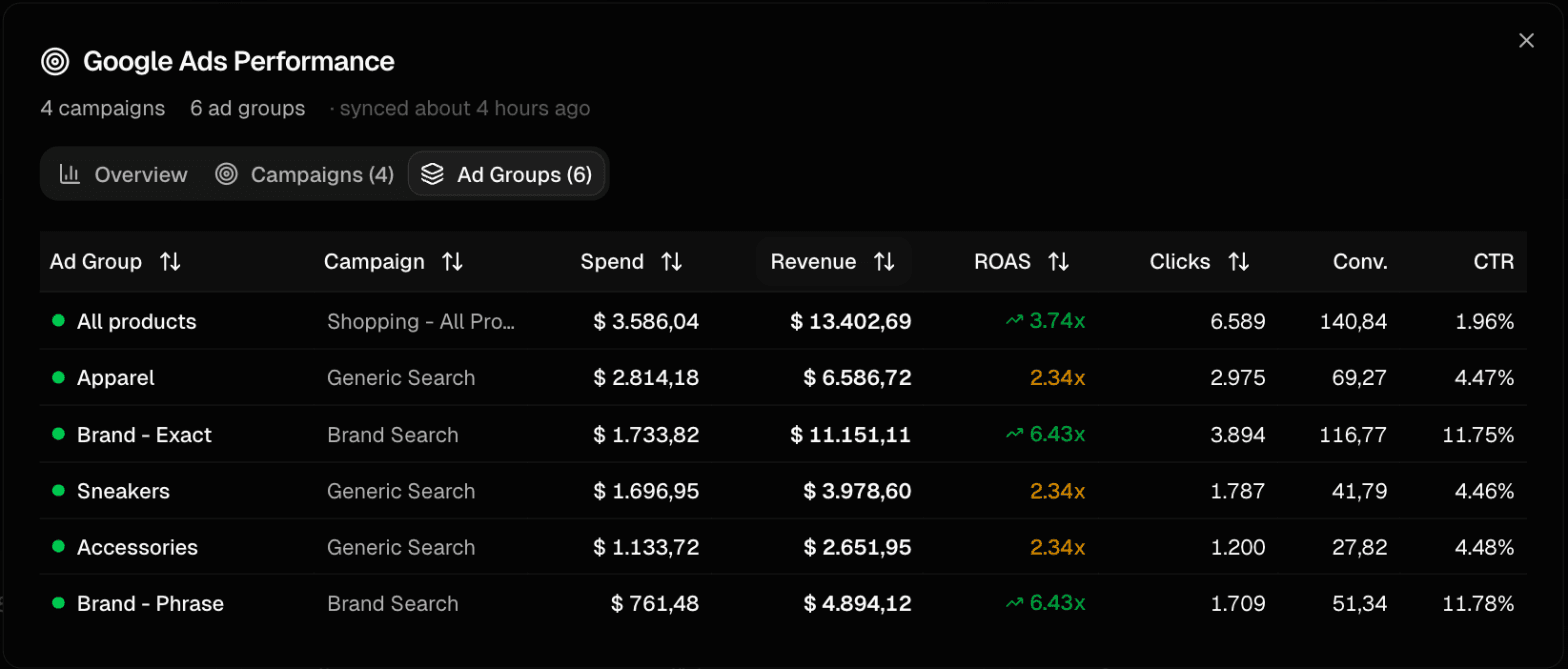
Demo data
How to connect Google Ads
1
Sign up for Baseboard
Set up your account in less than a minute
2
Click connect
One-click OAuth authentication—no API keys needed
3
See your data
Google Ads data syncs automatically and stays up to date
Ready to connect Google Ads?
See all your e-commerce data in one place.