Meta Ads + Baseboard
Baseboard syncs your Meta Ads campaigns and ad sets, plus Facebook Page and Instagram organic metrics, so paid and organic social sit in one card.
- Campaigns and ad sets
- Daily ad spend, impressions and clicks
- Conversions and conversion value
- Facebook Page insights: post engagement, reactions, video views, page views and follows
- Instagram insights: impressions, reach, profile views and website clicks
- Ad spend
- Return on ad spend (ROAS)
- Revenue and conversions
- CTR, CPC and CPM
- Facebook Page engagement
- Instagram reach and profile views
What you can do with Meta Ads in Baseboard
Compare Meta campaigns and ad sets by ROAS, see how Meta performs next to Google and TikTok, and keep an eye on your organic Facebook and Instagram reach.
How Meta Ads looks in your dashboard
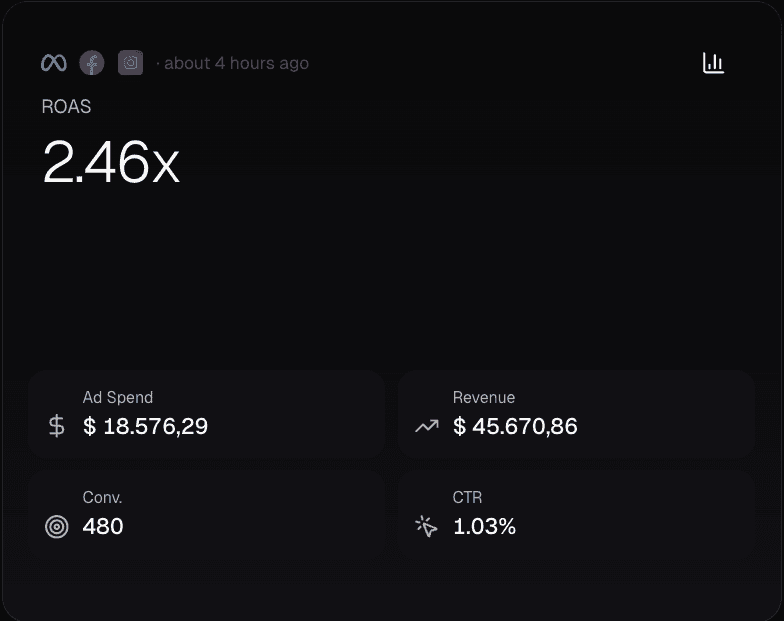
Demo data
Open the card for the campaigns behind the number, with spend, revenue, ROAS, CTR, CPC and CPM per campaign.
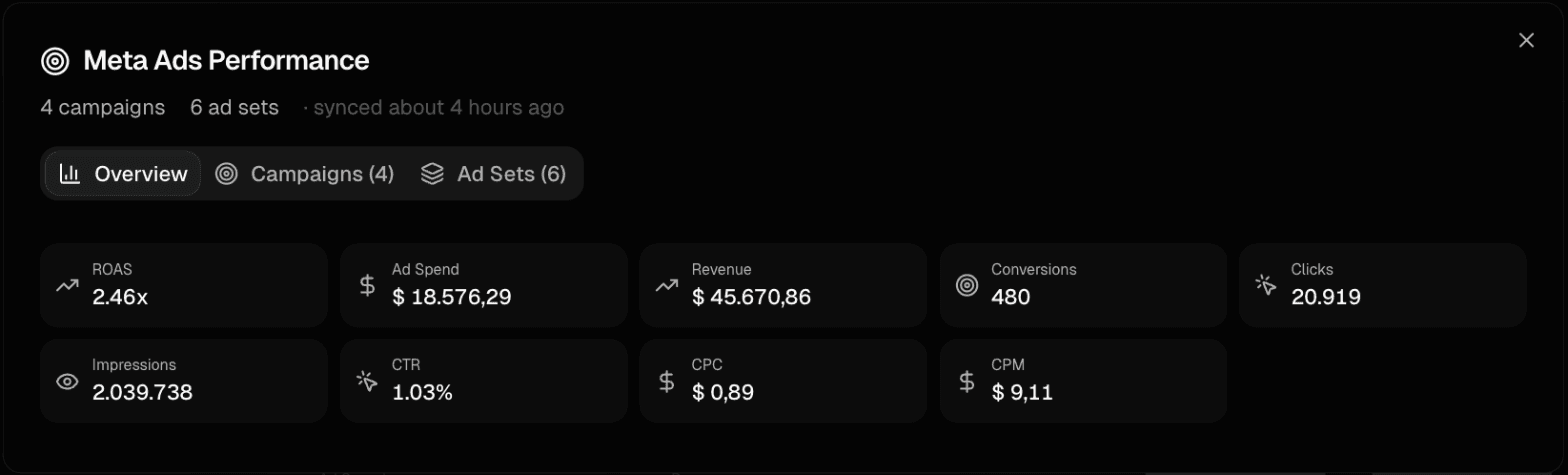
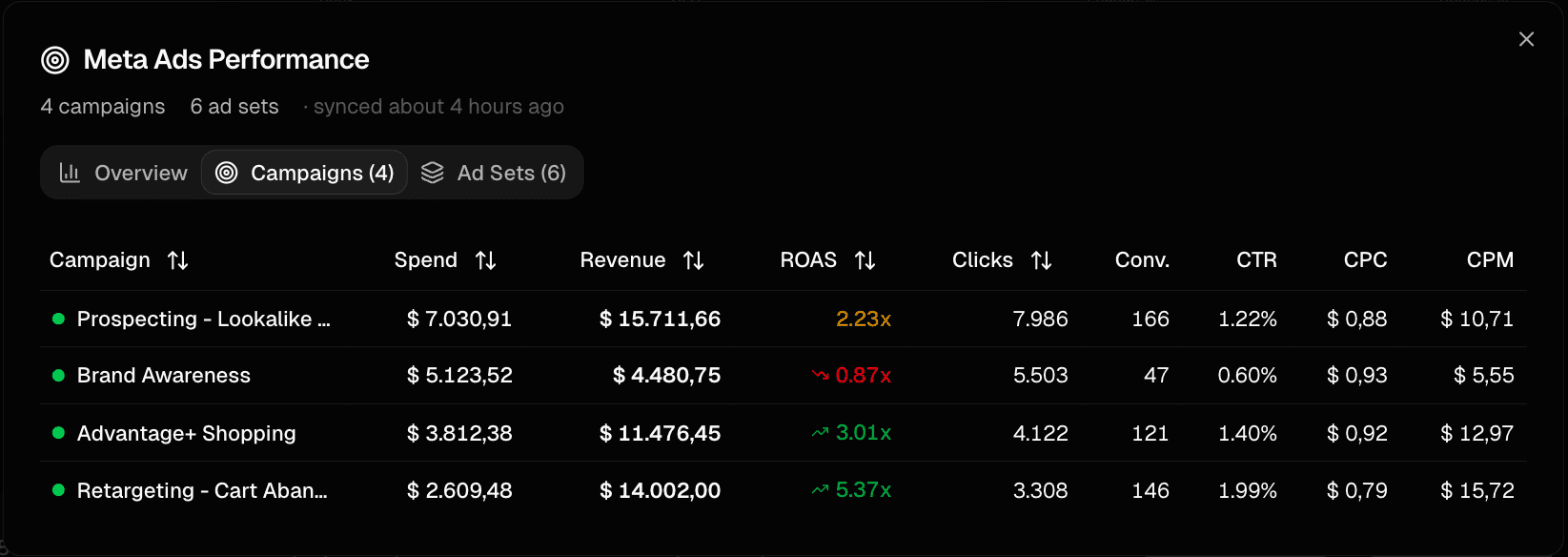
Demo data
Switch the same card to your Facebook Page or Instagram account to follow organic reach and engagement next to your ads.
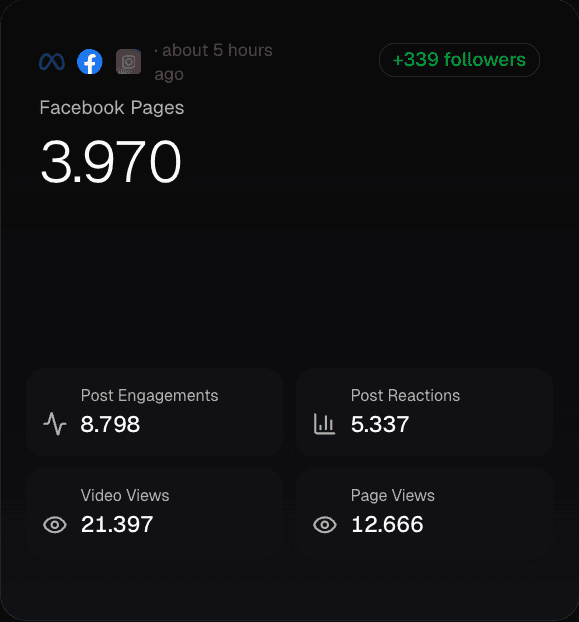
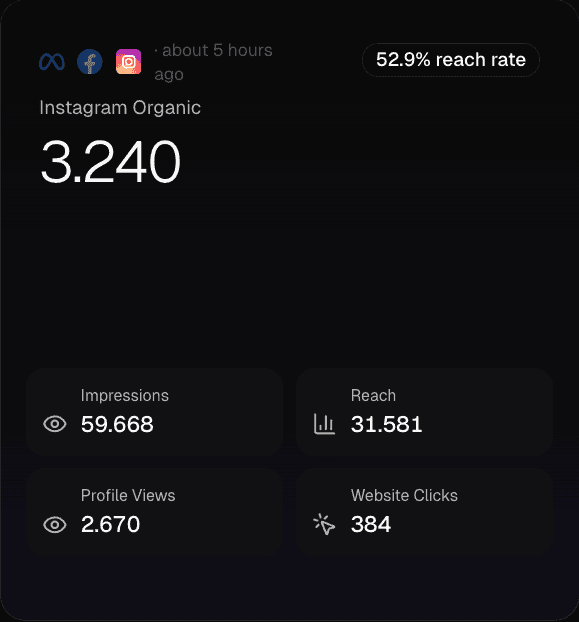
Demo data
How to connect Meta Ads
Sign up for Baseboard
Set up your account in less than a minute
Click connect
One-click OAuth authentication—no API keys needed
See your data
Meta Ads data syncs automatically and stays up to date
Ready to connect Meta Ads?
See all your e-commerce data in one place.