Shopify + Baseboard
Baseboard reads your Shopify orders and products and turns them into net revenue after refunds, orders, customers and product performance, in your shop's own time zone. Orders refresh every 15 minutes.
What data we sync from Shopify
- Orders, refunds and cancellations
- Products sold and revenue per product
- Discounts applied to orders
- First-time and repeat customers
- Payment and fulfilment status
- The days and hours customers order
Key metrics in Baseboard
- Net revenue after refunds
- Orders and average order value
- Refund rate
- New versus repeat customers
- Top products by net revenue
- Discounts given, in total and by size
What you can do with Shopify in Baseboard
See which products drive your revenue, how many orders are refunded or discounted and how repeat buyers compare with first-time buyers, next to your marketing spend.
How Shopify looks in your dashboard
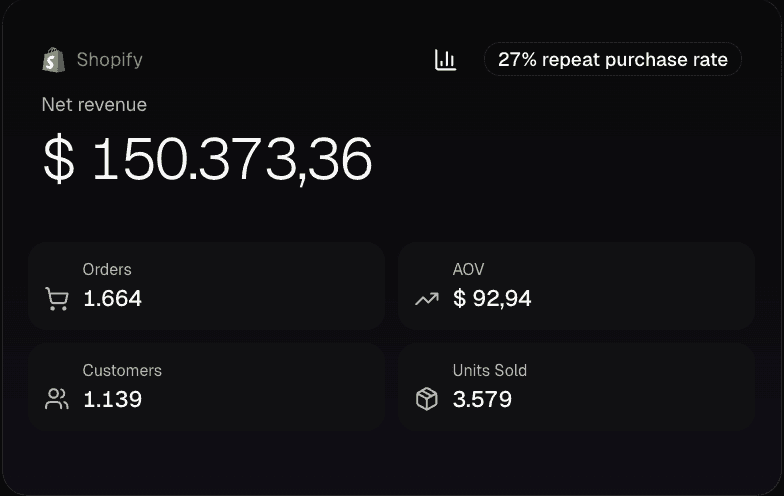
Demo data
Open the card for the full picture: net revenue after refunds, orders, customers and products, in your shop's own time zone.
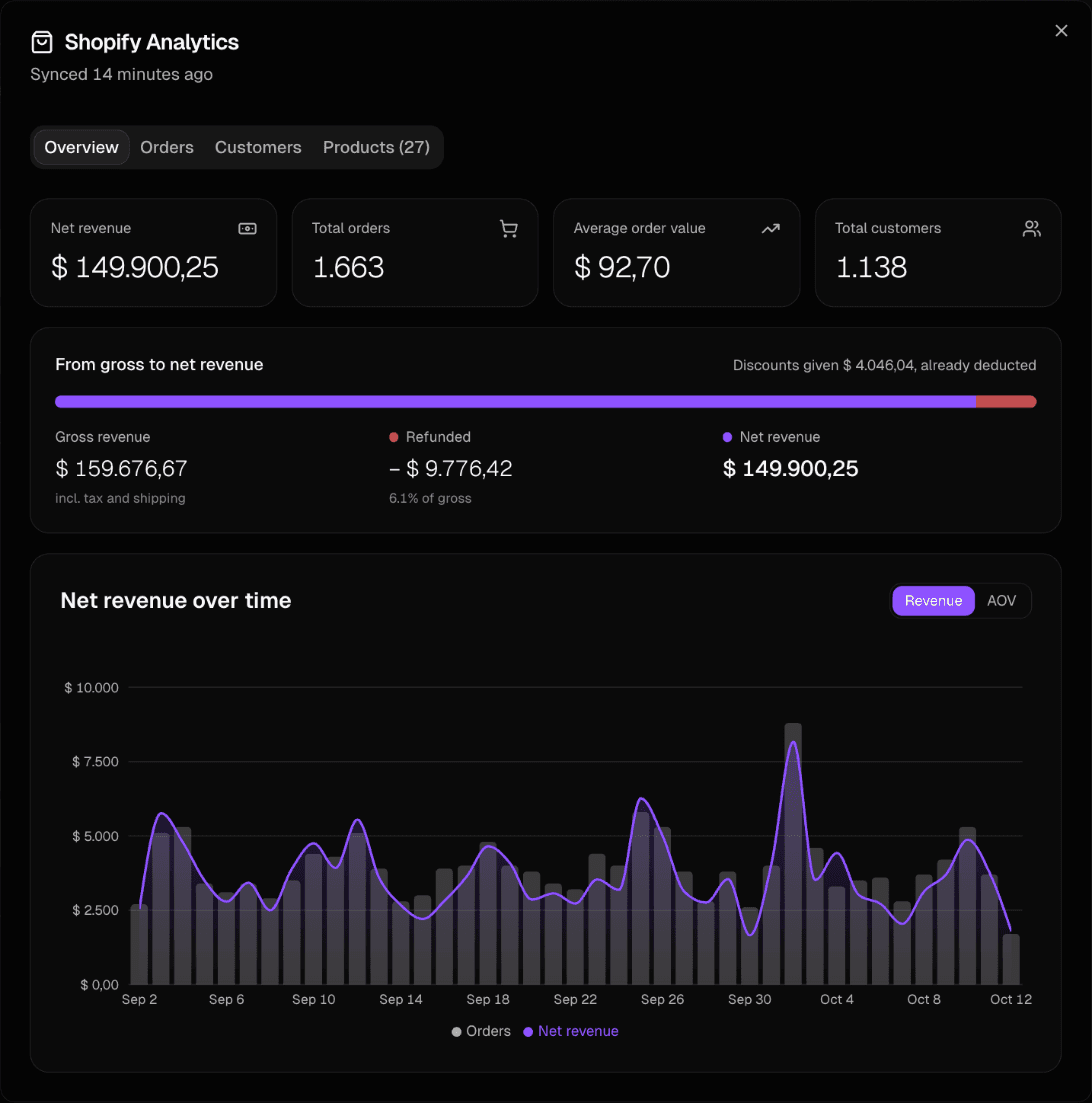
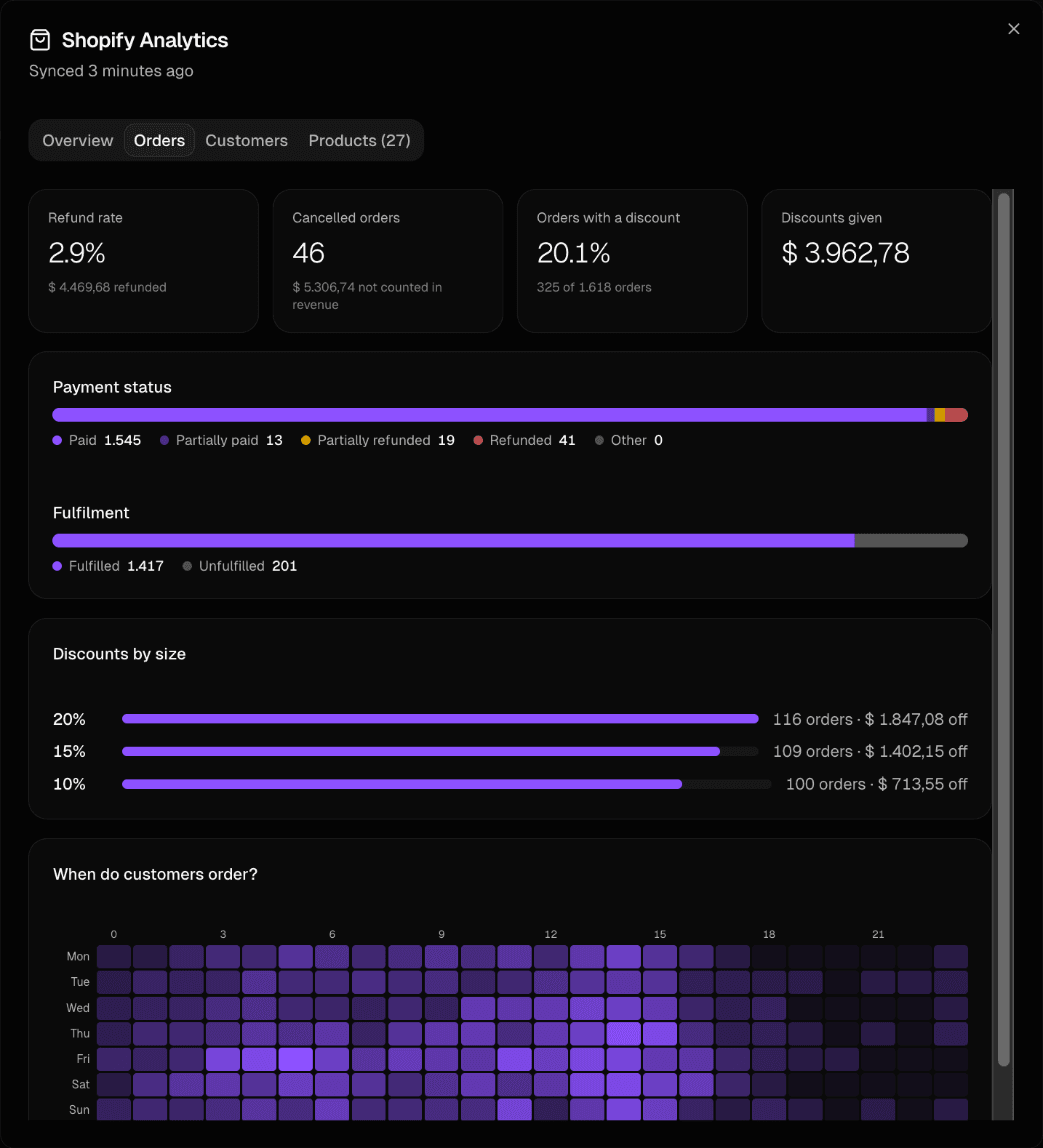
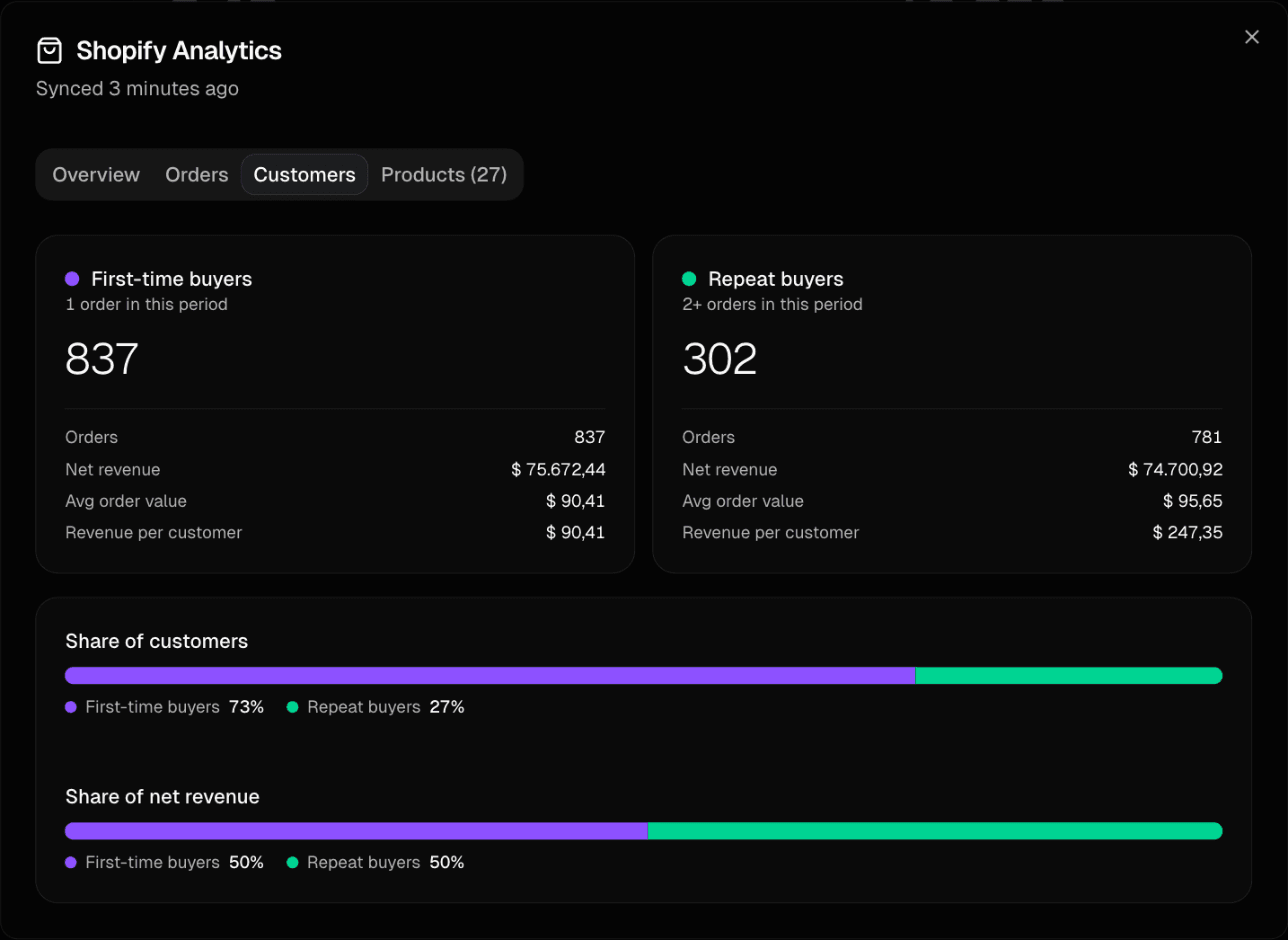
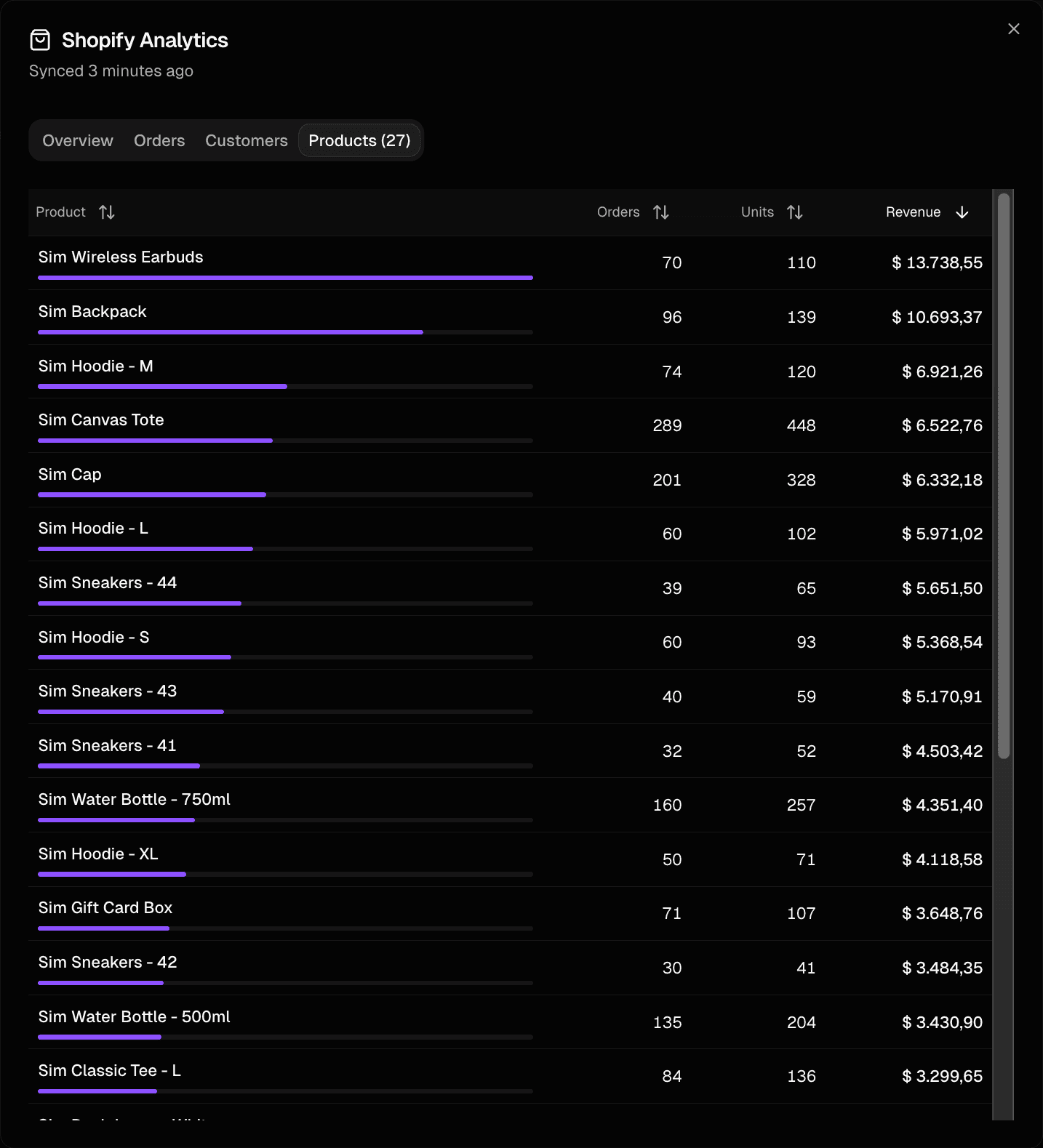
Demo data
How to connect Shopify
1
Sign up for Baseboard
Set up your account in less than a minute
2
Click connect
One-click OAuth authentication—no API keys needed
3
See your data
Shopify data syncs automatically and stays up to date
Ready to connect Shopify?
See all your e-commerce data in one place.